


WhatsApp

Odoo Point Of Sale Development

Odoo Point of Sale software is a reliable and complete POS system with ERP integration designed for retail businesses of all sizes. This Odoo POS system works smoothly on computers, tablets, and mobile devices, and it also supports offline mode, so you can continue selling even without internet access. The Odoo POS module makes daily sales easy with fast product search, barcode scanning, discount options, and quick checkout. As a complete Odoo POS solution, it connects automatically with inventory, accounting, and customer records, giving you real-time updates in one place. This Odoo POS retail software is widely used as one of the best POS software for retail and is also ideal as POS software for small businesses, helping owners manage sales without complexity.

Request A Demo 

Features of Odoo POS Software

Explore powerful Odoo POS features that help you sell faster, manage stock easily, track sales in real time, and improve daily retail operations.

POS Tracking

POS Session

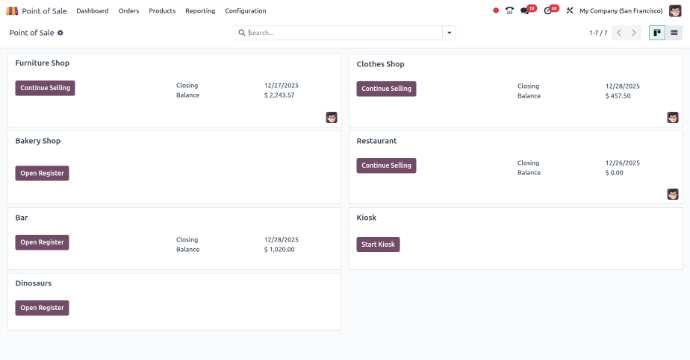
A POS Session in Odoo is the time when sales are recorded in the POS system.It starts when the POS is opened and ends when it is closed, saving all sales and payments.

Real-Time Sales Tracking

Odoo POS sessions show sales in real time, so you always know what is sold and what stock is left.

Session Management

Odoo POS allows you to open and close sessions, manage cash, and check totals clearly.

Easy to Use & Integrated System

The Odoo POS interface is easy to use and quick to learn. It connects with other Odoo modules for smooth sales and customer management.

Sale Summary

POS Orders

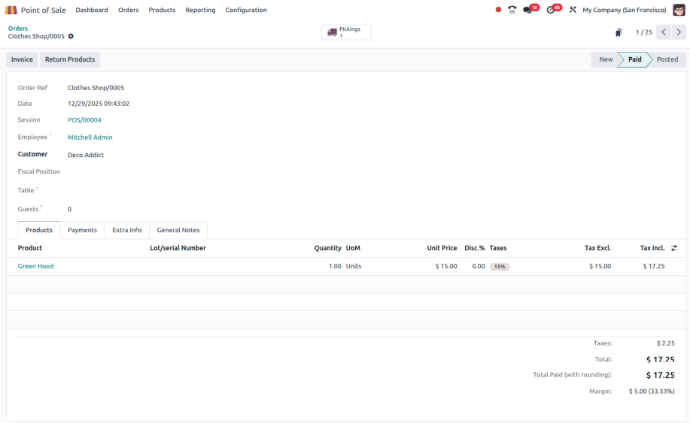
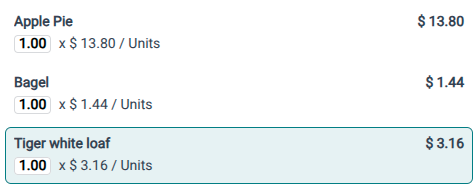
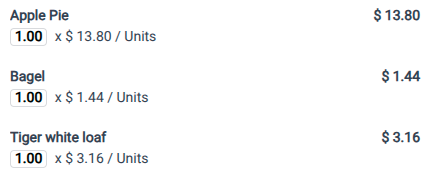
A POS order in Odoo is a record of a sale made using the POS system. It shows the products sold, quantities, and payment details clearly.

Send by Mail to Customer

POS orders can be sent to customers by email as a digital receipt, clearly showing purchased products, quantities, prices, and payment details.

Create Invoice

Odoo allows POS orders to be converted into invoices, making billing simple and ensuring all sales are correctly recorded in accounting.

Stock Updates

After each POS sale, inventory levels update automatically, so stock quantities stay accurate and help avoid overstock or stock shortages.

Smart Interface

Touch Screen Interface

Manage thousands of auto parts with ease using our specialized tools designed for varying sizes, brands, and specifications.

Easy to Use

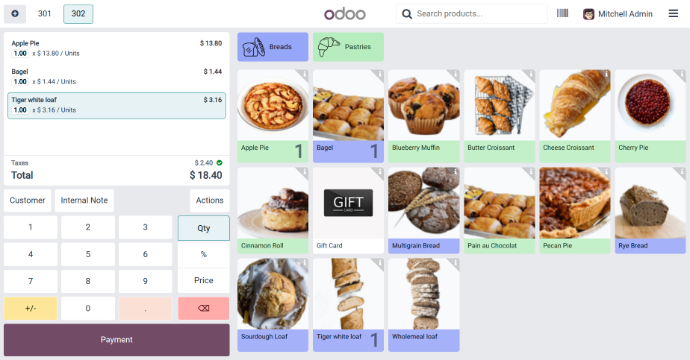
The touch screen is simple to understand, so that new staff can learn quickly and experienced users can complete sales faster.

Quick Product Selection

Products are shown with clear icons and categories, making it easy to find items and reduce checkout time for customers.

Flexible & Updated Screen

You can arrange products based on your business needs, and any price or product changes appear instantly on the screen.

Transaction Proof

POS Bill

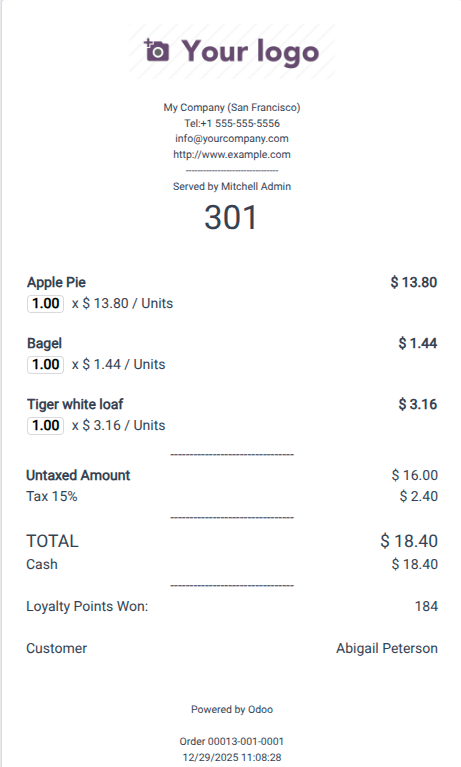
The POS bill in Odoo shows a clear receipt for every sale, helping customers understand their purchase and businesses keep accurate sales records.

Product Information

The POS bill clearly shows product names, quantities, and prices so customers can easily understand what they purchased and how much they paid.

Tax Information

The bill displays applied tax details, helping customers see tax charges clearly while supporting proper tax compliance for the business.

Payment Method

The POS bill mentions the payment method used, such as cash, card, or digital payment, ensuring clear and accurate financial records.

Quick Analytics

POS Dashboard

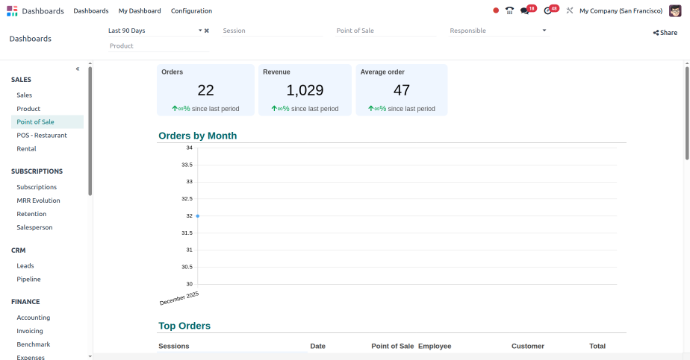
The POS dashboard in Odoo shows a simple overview of sales and business activity to help make quick decisions.

Real-Time Sales Data

The POS dashboard shows live sales numbers, helping businesses track current performance and quickly react to changes in sales trends.

Inventory Management

The dashboard displays stock levels and product movement, helping businesses manage inventory better and avoid running out of stock or overstocking.

Financial & Customer Insights

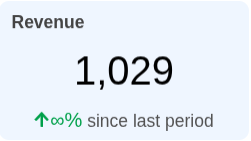
It shows revenue, average sale value, and customer buying patterns, helping businesses understand profits and improve overall business decisions.

Talk To Our Best Odoo Expert

Do you have a question, need a demo,  Our team is here to listen and respond!

Why Choose Devintellecs for Odoo Point of Sale ?

Get expert Odoo POS implementation, easy customization, smooth integration, and reliable support to manage your retail sales with confidence.

Comprehensive Odoo POS Knowledge

Devintellecs has considerable experience in the execution of Odoo Point Of Sale solutions in the retail sector. Nothing better informs this than the knowledge we have gained from understanding the way retail actually works.

Customized POS Solutions

We customize the Odoo Point of Sale solution according to your business needs, including products, pricing, taxes, payment, and multi-store configuration.

Smooth POS Integration

Our team ensures Odoo POS works perfectly with inventory, accounting, and CRM so all sales data stays accurate and updated.

Ease of setup and Training

We also make the setup process effortless, and you can easily train your staff to start operating our POS without hassles.

High-Quality Support & Maintenance

Devintellecs provides continuous technical assistance to resolve problems, increase performance, and ensure your Odoo POS runs effectively.

Affordable & Scalable Solution

Our Odoo POS solutions are cost-effective and grow with your business, whether you run a small shop or multiple retail outlets.

Smart POS for retail sales

Sell faster, track stock in real time, manage payments smoothly, and keep all sales data connected with Odoo for better daily control.

FAQs For Odoo POS

Odoo POS is a versatile point-of-sale software that integrates with Odoo’s ERP system, providing tools for managing retail sales, inventory, and accounting.

Odoo POS integrates with inventory, accounting, and CRM modules. Data synchronization and business processes

Yes, Odoo POS can function without an internet connection, with continuous sales and service even during network outages.

Due to its flexible and scalable nature, Odoo POS is suitable for a wide range of businesses, from small shops and cafes to large retail chains.

Odoo POS supports various payment methods, including cash, credit cards, debit cards, and mobile payments.

Odoo POS offers a simple setup process and can be configured to meet specific business requirements.

Odoo POS generates detailed sales reports. Providing valuable insights for better business performance analysis.

Odoo POS enhances customer experience with fast checkouts. Customizable receipts and loyalty programs satisfaction and repeat business.

As an open-source solution, Odoo POS is an alternative to proprietary POS systems. Offering features without high licensing fees.

Odoo POS is scalable and supports multi-store operations. Allowing you to manage several locations from a single system.

Talk To Our Best Odoo Expert

Do you have a question, need a demo,  Our team is here to listen and respond!